
Before you start
You need an iPhone running iOS 18 or later and an Airport Board purchase. The Lock Screen and Dynamic Island share that purchase; Dynamic Island also requires a compatible iPhone. City-only sessions can start locally. An independent clock service helps refresh day/night colors, show the final 10-minute reminder and end sessions. Purchases, restores, Live Activity pushes and stock updates need a working connection. Previews and editing inside the app are free.
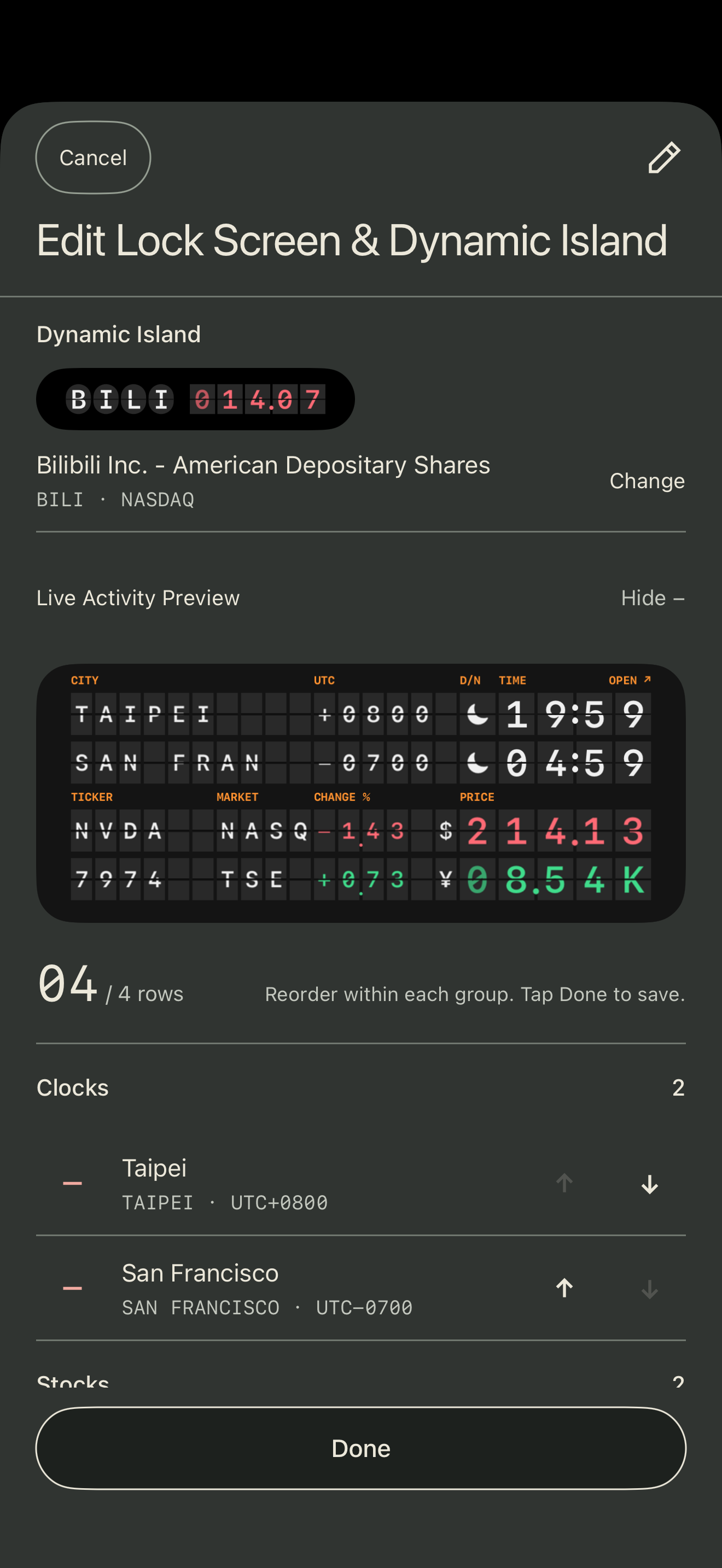
Choose Lock Screen and Dynamic Island content
- Choose Live in Tockett.Open ⋯, then Edit Clock.
- Make separate selections.Combine cities and stocks for the Lock Screen and choose one item for Dynamic Island. Reorder items and tap Done.
- Check the saved preview.This saves your configuration; it does not start a system Live Activity.
Start a Live Activity
Go back to Live, open ⋯ → Start Live Activity, then tap Start Live Activity at the bottom of the Lock Screen & Dynamic Island status page. If prompted, buy or restore Airport Board. Once it starts, lock your iPhone to see it.
If iOS has restricted Live Activities for Tockett, check the app’s Live Activities permission in iPhone Settings. A compatible iPhone also shows the selected Dynamic Island content.
13-second demo
Apply edits to a running session
Saved edits update the app preview right away, but the running Live Activity keeps its old content. When the status page shows Changes ready to apply, tap Apply Changes. If it succeeds, the new content replaces the old; if it fails, the current activity and its end time stay.
Duration, restarting and stopping
Live Activities are planned to run for 7 hours 59 minutes per session. iOS may end them earlier. Restart Live Activity starts a new session; Stop Live Activity ends it on the Lock Screen and Dynamic Island while keeping your settings and favorites.
iOS limits each Live Activity to at most 8 hours and may end it earlier. Once it ends, it leaves Dynamic Island, but its Lock Screen card may remain for up to 4 more hours. A visible card does not mean it is still updating: its time, day/night state or quotes may be out of date. Open the app to start a new session, or remove the old card.
On compatible iPhones with Always-On Display turned on, the board can flip as the Lock Screen dims and brightens. Otherwise, tap the board to flip it. Reduce Motion turns off the flip animation.
To change what red and green mean for stocks, see stock color settings.
Unable to start, or quotes not updating?
Check your connection and the app’s Live Activities permission, then follow the status page’s retry message. Quotes may be unavailable because of network or data-source conditions. A dash appears when no valid quote is available. See Help for more answers.